

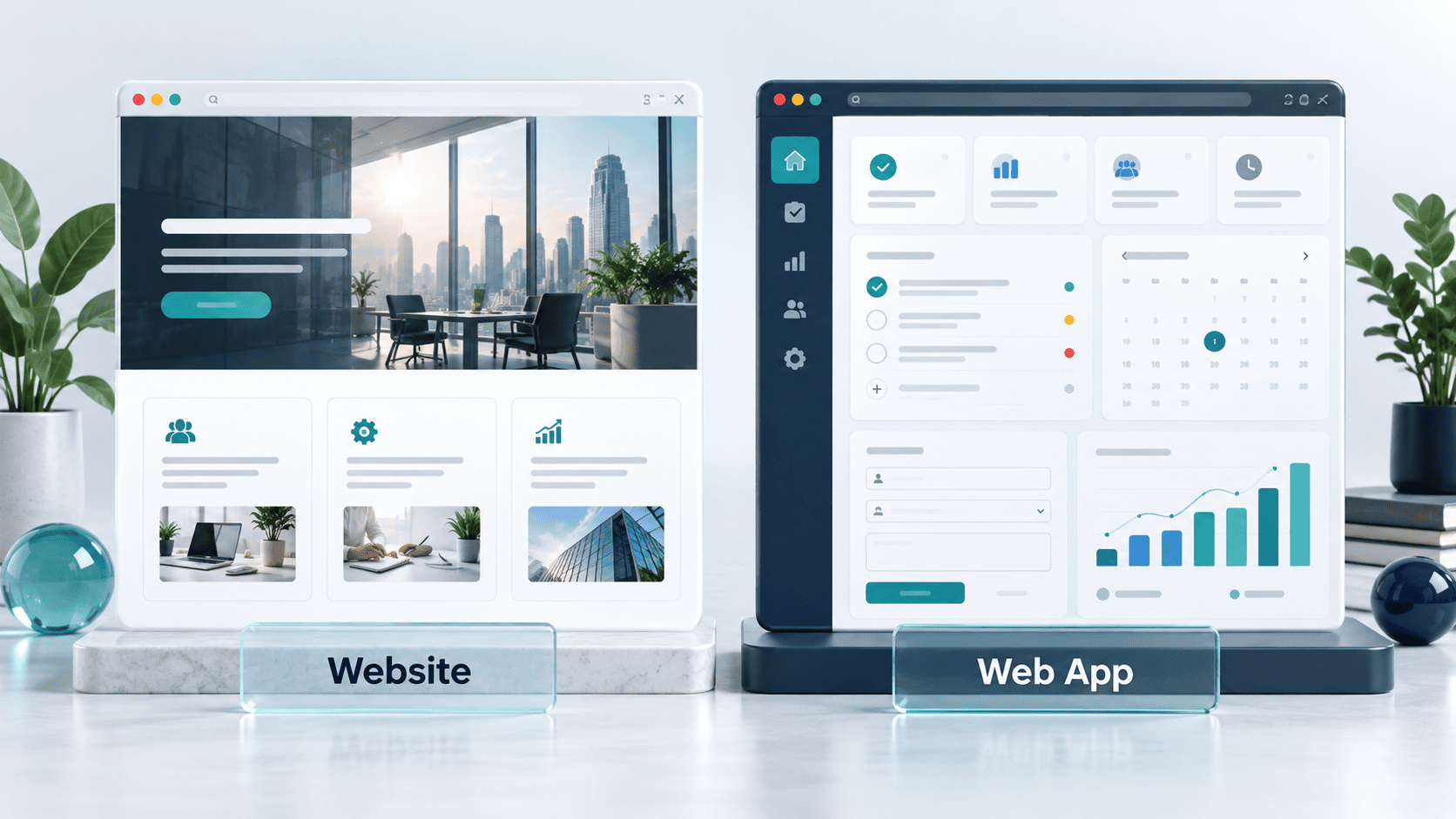
A website primarily helps visitors find information, evaluate a business or make an inquiry. A web app primarily helps users complete a task, such as managing projects, approving orders or editing shared records. Both run in a browser, and one business can need both.
The web app vs website distinction is useful when planning a project, but it is not a rigid technical boundary. Websites can be interactive, and web apps can contain public pages. The better question is what people need to accomplish and what your business must support after launch.
This guide helps US small-business owners and startup founders compare the options, define their first release and request a useful estimate.
| Question | Website | Web application |
|---|---|---|
| Primary purpose | Communicate information and help visitors take a next step | Let users complete and manage tasks |
| Typical examples | Business site, publication, portfolio, product landing pages | Customer portal, scheduling tool, project workspace, reporting dashboard |
| User interaction | Reading, searching, contacting, subscribing and sometimes purchasing | Creating, updating, reviewing or sharing information through workflows |
| Accounts | Optional | Common when data or permissions are personalized, but not universal |
| Data | Often organized around published content | Often organized around users, records, transactions and business rules |
| Testing priorities | Content, navigation, forms, accessibility and page performance | Those checks plus permissions, state changes, integrations and failure recovery |
| Success measures | Relevant visits, inquiries, purchases or content engagement | Completed tasks, repeat use, accuracy and business outcomes |
Use this table as a planning aid. A large publishing website can be more complex than a small web application. A shopping site can combine content with sophisticated application features.
A website is a collection of web pages and related resources that people access through a browser. For a business project, the term often refers to the public presence that explains the company, its services and how to contact it.
A consulting firm might need service pages, biographies, case studies, articles and a consultation form. Visitors need to understand the offer and decide whether to inquire. A content management system can let the team update those pages without asking a developer to change every sentence.
That website does not have to be static. Search, quote forms, maps and appointment widgets can all be part of it. The presence of a form or animation does not, by itself, make a custom web application necessary.
Start by defining the visitor’s next action: request a quote, schedule a call, buy a product or read a guide. The site structure should make that action easy to understand.
A web application is software accessed through web technology, usually in a browser, that enables users to perform tasks. A customer portal could let clients upload files, review proposals and approve work. An internal tool could let employees assign jobs and update their status.
Many web apps involve a frontend interface, server-side logic and stored data. MDN’s client-server overview explains how browsers send requests and servers return information or process changes. Dynamic websites use this pattern too, so architecture alone does not settle the label.
A web app does not always require a login. A public calculator can behave like an application without storing an account. Conversely, a membership login does not automatically justify building custom software.
The following are illustrative scenarios, not claims about Techfusion Gear client projects.
A home-services company wants visitors to understand its coverage area, compare services and request an appointment. Its staff already manage scheduling in an existing system.
Recommended starting point: a business website connected to the existing booking workflow. Building a second scheduling platform would add responsibility unless the current tool cannot meet an important requirement.
Measure qualified inquiries and completed booking requests. A growing number of visits is useful only if the site reaches people the business can serve.
A distributor wants approved customers to view account-specific prices, submit purchase orders and check fulfillment status. Staff need to control who can see each account’s records.
Recommended starting point: evaluate an existing commerce or portal product first. If its gaps are significant, scope a web application around ordering and account permissions. Keep public product information on the marketing website where appropriate.
The difficult work is not just designing an order screen. It includes product data, permissions, integration failures, order changes and support responsibilities.
A founder wants teams to organize service requests in a shared workspace. Prospective customers need information about the product, while paying customers need the working tool.
Recommended starting point: a public marketing website plus a focused application. The first app release might support submitting, assigning and closing a request. Advanced reporting and multiple integrations can wait if they are not necessary to test the core outcome.
Before committing to a full build, use our PoC vs prototype vs MVP comparison to decide whether a technical experiment or workflow prototype should come first.
Custom application features often add engineering, testing and operating work. However, a small application can cost less than a large website with complex content migration, multiple languages or many integrations. Compare actual scope rather than the label on the proposal.
For either option, request separate estimates for:
For a web app, also ask how the estimate covers roles, permissions, error states, backups and operational monitoring. For a website, ask who supplies copy, images, redirects and form-routing requirements.
When comparing USD proposals from US and international teams, confirm the billing currency, included hours, meeting overlap and what happens when requirements change. A lower initial build price is not enough information to compare total ownership costs.
Our web app development cost guide explains the scope decisions behind an application estimate. Use it after defining the workflows you actually need.
Neither label guarantees better rankings. Public content needs to be accessible to search engines and useful to its intended audience. A web application can have searchable public pages, while account-specific information normally belongs behind appropriate access controls.
Google’s JavaScript SEO guidance explains how crawling, rendering and indexing interact. JavaScript is not automatically an SEO problem, but implementation details such as accessible content and crawlable links matter.
For a business with a customer portal, plan two journeys: helping prospective customers discover the public site and helping signed-in users complete their work. Do not expose private records simply to make more URLs available to search engines.
Give public service and product pages clear titles, useful descriptions and relevant internal links. Test what the page actually delivers, rather than assuming a particular framework makes it search-friendly.
A responsive website or web app can serve users on phones as well as computers. A native mobile app is a separate product decision involving installation, device capabilities, distribution and maintenance.
Start by identifying what the user must do on mobile. Reading a service page and submitting a form differs from working offline in the field or handling frequent device-based tasks.
Some web applications can offer progressive web app features, but support varies by browser and platform. Validate the specific capabilities you need before promising an app-like experience. A mobile-friendly layout alone does not establish offline functionality.
Yes, you can add application functionality to a business’s web presence, but it may require a separate system or substantial changes. Reusing the brand and some interface elements does not mean the underlying data model and permissions already exist.
For example, a consulting website can later link to a client portal without replacing its public content. Before choosing that approach, map sign-in, navigation, analytics and the information exchanged between systems.
Start with a clearly bounded workflow. Avoid adding disconnected plugins or small tools until nobody knows which system owns the customer record. Agree on data ownership and integration responsibilities early.
If the project is mostly public information plus standard interactions, start by evaluating a website. If it depends on custom workflows and shared data, evaluate application functionality. If it needs both, specify each part clearly.
In everyday usage, web apps are accessed through websites, and the terms overlap. In a project brief, distinguish the public information pages from the software workflows so the scope is clear.
No. Login is one capability. Consider what users can do after signing in, the data involved and the rules that the system must enforce.
It can be both. Product and editorial pages publish information, while carts, checkout, customer accounts and order management provide application functionality.
It can support interactive features through plugins and custom development. Whether it is suitable depends on the workflow, integrations, security, performance requirements and maintenance plan. Evaluate those requirements before selecting the platform.
Yes. Dependencies, integrations and user needs change. Websites also need maintenance, but a working application may require additional monitoring, support and testing of business workflows.
Only when the need justifies it. Compare existing tools, a website with integrations and a small custom solution. Select the option that meets the requirement with an operating burden the business can support.
A website may be all you need to explain your offer and generate inquiries. A web application becomes relevant when users must manage tasks, records or transactions. Many businesses use both, with each serving a different purpose.
Techfusion Gear offers website design and development and custom web development. Share the workflow you want to improve to discuss which approach fits your project.